

MK270 Full Size Wireless Keyboard and Mouse Combo
The dependable workspace standard for home offices and shared workstations
Full manufacturer title
Logitech MK270 Full Size Wireless Keyboard and Mouse Combo - Black Combo Black 1 Pack
$24
Affiliate link. Ravvy may earn a commission from qualifying purchases at no extra cost to you.

Ravvy verdict
89.9 / 100
Buy the MK270 if you need a reliable and affordable wireless workspace solution and can accept the basic plastic feel and lack of rechargeable batteries.
- Best for
- budget conscious remote workers and students needing a reliable setup
- Buy it if
- You want exceptional battery longevity up to 36 months.
- Skip it if
- You require ergonomic wrist support.
- Best alternative
- Logitech Signature Slim MK955 for Business Keyboard Mouse Combo (Pack of 1) (hybrid professionals and open office employees)
How it scores on what matters
- Value99.0
- Battery Life96.2
- Connectivity88.0
- Typing Comfort80.5
- Build Quality78.5
Ravvy factor scores, 0 to 100, derived from specs, owner reviews and category norms.
What it is
The Logitech MK270 remains the gold standard for budget-friendly wireless peripherals by focusing on fundamental utility rather than flashy extras. The full size keyboard features a traditional layout that feels familiar instantly, offering dedicated media keys and a dedicated number pad that makes data entry efficient. While the construction is primarily plastic, it includes a spill resistant design that adds a layer of practical durability for busy environments where coffee spills are a constant risk. The accompanying mouse is compact and ambidextrous, making it an easy fit for any user or workspace. The entire kit connects via a single tiny USB receiver, freeing up ports and eliminating cable clutter. Battery life is the standout feature here, with the keyboard lasting up to three years on a single set of batteries, ensuring you spend your time working rather than hunting for replacements. It is a no-frills solution that just works right out of the box.
Ravvy AI insight
The MK270 dominates its category because it hits the sweet spot between cost and reliability. While newer models offer Bluetooth or mechanical switches, the 2.4 GHz wireless connection used here is often more stable in crowded signal environments. For the best experience, keep the USB receiver in a direct line of sight to avoid lag during heavy typing sessions.
Generated from owner feedback, product specs, pricing, and retailer data. Last updated Aug 24, 2026.
What owners praise
- Exceptional battery longevity up to 36 months
- Spill resistant keyboard design for added durability
- Single USB receiver manages both devices
- Dedicated media hotkeys for quick control
- Ambidextrous mouse design fits all users
- Highly competitive price point
What to know first
- Mouse is small for users with larger hands
- Lacks Bluetooth connectivity for tablet use
- Plastic build feels somewhat hollow
Specifications
- UPC
- 097855138996
- GTIN
- 097855138996
- Brand
- Logitech
- Color
- Black
- Style
- Combo
- Material
- Plastic
- Model Name
- MK270
- Style Name
- Combo
- Unit Count
- 1 Count
- Item Weight
- 1.1 pounds
- Switch Type
- Linear
- Manufacturer
- Logitech
- Model Number
- 920-008813
- Power Source
- Battery Powered
- Built-In Media
- 1 AA battery, 2 AAA batteries, keyboard, mouse, user guide
- Item Type Name
- Logitech MK270 Wireless Keyboard and Mouse Combo - Keyboard and Mouse Included, Long Battery Life (Frustration-Free Packaging) (920-008813)
- Number of Keys
- 104
- Keyboard Layout
- QWERTY
- Mfr Part Number
- 920-008813
- Number of Items
- 1
- Number of Packs
- 1
- Special Feature
- Wireless
- Antenna Location
- Office,Home
- Hand Orientation
- Ambidextrous
- Compatible Devices
- Laptop, PC
- Enclosure Material
- Plastic
- Additional Features
- Wireless
- Included Components
- 1 AA battery, 2 AAA batteries, keyboard, mouse, user guide
- Keyboard Description
- QWERTY
- Warranty Description
- 1Year Limited Hardware Warranty
- Connectivity Technology
- Wireless
- Recommended Uses For Product
- Office,Home
- External Testing Certification
- Não aplicável
- Compatible Tablet Computer Models
- AAUB P30
- Compatible Operating System Family
- Windows
- Global Trade Identification Number
- 00097855138996
- Minimum Required Operating System Version
- Windows 10
How to get the most out of it
USB Receiver Storage
If you are traveling with the mouse, look inside the battery compartment or the slot on the bottom of the mouse. There is a dedicated storage cutout for the USB nano receiver so you do not lose it during transit.
Ownership tips
tip
Battery Preservation
Always use the physical on/off switches located on the underside of both the mouse and keyboard when not in use for long periods. Although they have an auto-sleep mode, manual switching extends the primary battery life significantly.
care
Cleaning the Keys
Use canned air to blow out debris from under the keys once a month. Since the keyboard is spill resistant, you can wipe the surface with a lightly damp microfiber cloth, but avoid using harsh chemical cleaners that could strip the key markings.
Frequently asked questions
Does this work with a Mac?
While designed primarily for Windows, it will work with macOS as a basic keyboard and mouse. Note that the specialized media keys and Windows-specific shortcuts may not function as intended on Apple devices.
Is the keyboard quiet enough for an office?
Yes, the MK270 uses membrane switches which are significantly quieter than mechanical keyboards. It produces a soft thud rather than a click, making it suitable for quiet office environments or shared living spaces.
Can I connect the keyboard without the USB dongle?
No, this specific model requires the included 2.4 GHz USB receiver to function. It does not support internal Bluetooth, so you must have an available USB-A port on your computer or laptop.
How do I know when the batteries are low?
The keyboard does not have a detailed software battery indicator, but you will notice the mouse cursor lagging or keys failing to register when power is low. The long battery life means this typically only happens once every year or two.
Where can you buy the MK270 Full Size Wireless Keyboard and Mouse Combo?
MK270 Full Size Wireless Keyboard and Mouse Combo is sold through Amazon, and Logitech also lists it through its own site and major retail partners. The buy link on this page goes straight to the current Amazon listing, which is where stock and pricing update most often.
How much does the MK270 Full Size Wireless Keyboard and Mouse Combo cost?
The last price Ravvy recorded was $24. Retail pricing on keyboards & mice moves with promotions and stock, so treat that figure as a reference point and check the live listing before you buy.
How do you get the MK270 Full Size Wireless Keyboard and Mouse Combo for a cheaper price?
Three tactics work best: watch for holiday and seasonal sale events when keyboards & mice discounts run deepest, compare the open box or renewed listing against new stock, and check whether Logitech is running a coupon or bundle. Adding the product to your Ravvy wishlist keeps it handy so you can revisit the listing when prices drop.
Is the MK270 Full Size Wireless Keyboard and Mouse Combo in stock right now?
It was in stock at our last check. Availability on popular keyboards & mice can change within hours, so the live listing is the source of truth.
Is the MK270 Full Size Wireless Keyboard and Mouse Combo worth it?
Ravvy scores it 89.9 out of 100. The strongest argument for it is exceptional battery longevity up to 36 months. The trade off to weigh is mouse is small for users with larger hands.
Who should buy the MK270 Full Size Wireless Keyboard and Mouse Combo?
It fits budget conscious remote workers and students needing a reliable setup If that does not describe your situation, compare it with the other options in Keyboards & Mice before committing.
What are the key specs of the MK270 Full Size Wireless Keyboard and Mouse Combo?
UPC: 097855138996. ASIN: B079JLY5M5. GTIN: 097855138996. Brand: Logitech.
What are good alternatives to the MK270 Full Size Wireless Keyboard and Mouse Combo?
Compare it against the other scored picks in Keyboards & Mice on Ravvy. We rank every option in that group by the same criteria, so you can see which model wins on value, quality, and owner sentiment before you decide.
Get scored
Have a product we should score?
Send us a link and we will run it through the Ravvy Score model, then show you how it compares to similar products.
Submit a productAlternatives worth comparing

Best for home office workers and students seeking a comfortable budget desktop setup
- 36 month keyboard battery life
- Full size 104 key layout
- 2.4 GHz wireless reliability
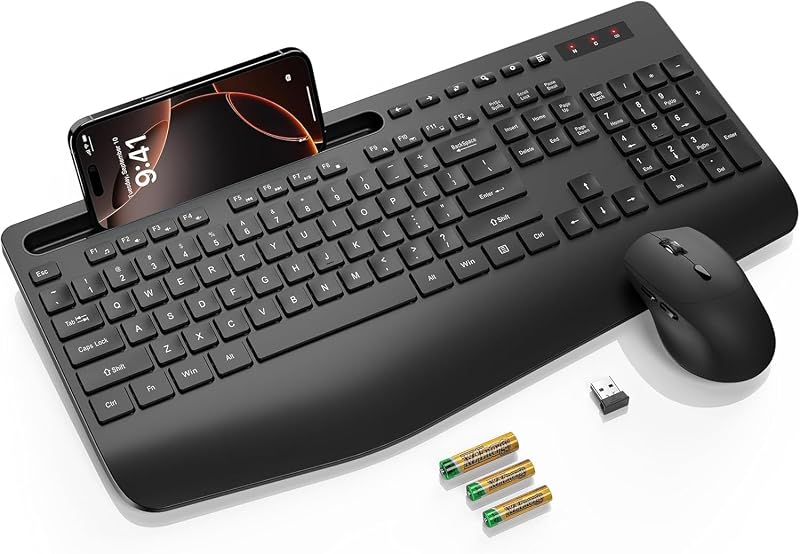
Best for office workers and students seeking an affordable ergonomic setup
- 2.8-inch ergonomic wrist rest
- 10-degree typing incline
- 3-level adjustable DPI mouse

Best for hybrid professionals and open office employees
- Enterprise grade Logi Bolt security
- SmartWheel high speed scrolling
- Easy Switch multi device buttons